
Water damage is one of the most common issues MacBook users face. Whether it’s a spilled drink or an unexpected rain shower, water damage can seriously harm your MacBook if not addressed quickly. However, it’s not always the end of the road for your device. Quick action and proper repair can significantly reduce the chances of permanent damage.
The first thing you need to do if water spills on your MacBook is turn it off immediately. This is crucial to prevent further damage. Gently dry the exterior with a lint-free cloth and ensure that it drains properly by placing the MacBook in an upside-down V-shape. Leave it to dry for at least 24-48 hours.
However, if the water damage persists or you notice issues like unresponsive keys or a black screen, it’s time to seek professional help for MacBook water damage repair.
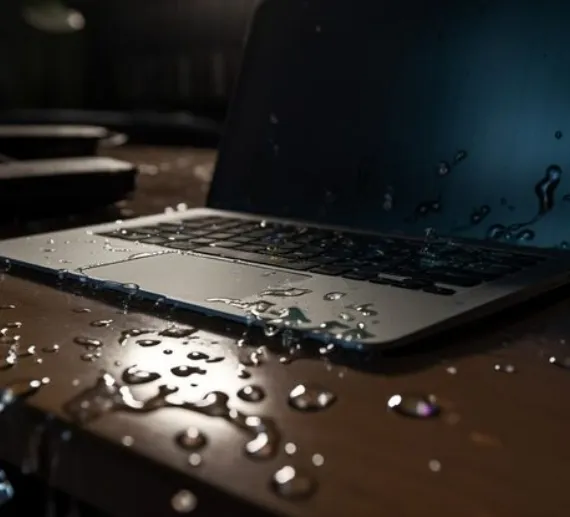
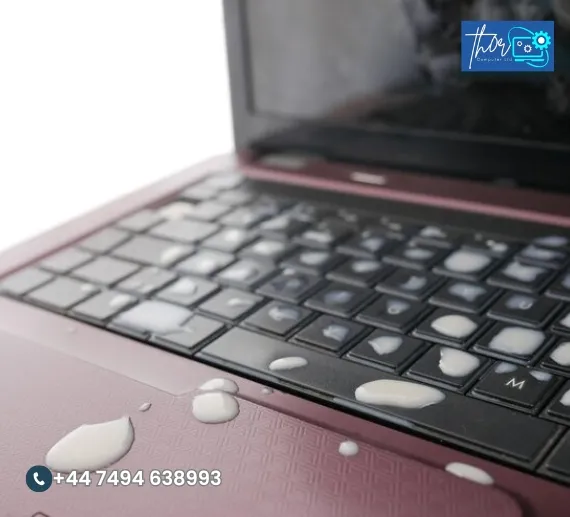
Water damage is not always immediately visible. Here are some common signs of MacBook water damage that you should watch for:
Keyboard Malfunctions: Unresponsive or stuck keys are a clear indication of water damage. In severe cases, the entire keyboard may fail to work.
Screen Issues: If your MacBook’s screen is flickering, showing lines, or is completely black, this could be a result of liquid exposure.
Battery Drain: Water can short-circuit the battery, causing it to drain quickly or not charge properly.
Random Shutdowns: If your MacBook randomly shuts down or won’t power on, water could have damaged the motherboard or internal components.
If you notice any of these signs, it’s time to consult with a MacBook repair expert to evaluate the situation.
EXCELLENT Based on 38 reviews
 Posted on Google
 ChazzaBazzaGazzaPosted on Google
 Prashant Srivastavavery professional, replaced screen in less than 30 minutes!Posted on Google
 above ucAll Good. ThxPosted on Google
 Heather BarkerWhen i realised my laptop just wasnt working i reached out to Mike. Best thing i could have done. He arrived within a couple of hours and quickly diagnosed the problem. Sorting out a solution wasnt easy but his patience, perseverance and expertise came to the fore. And all is well now thank youPosted on Google
 Ronny LavieMy laptop stopped booting for no reason. I had really important, irreplaceable documents on it. Mike got them back for me, then also managed to fix my laptop without wiping the drive, which I didn't think was possible.Posted on Google
 Rob ShortmanI had tried to install some new RAM on my machine - which worked, but when I screwed the base back on it had completely died. Mike slogged his way through the heat to fix it in no time - and I am so very grateful!Posted on Google
 Keith TaylorLaptop graphic repair internet speed and updatesPosted on Google
 louis FallenPerfect and professional service No time wasting and straight to the point Guided me through the whole processPosted on Google
 Patrick Marrero
Trustindex verifies that the original source of the review is Google.
I hired this company to fix my computer, they did come to collect and work on it. However we had a verbal agreement that they would accept payment when the job was done. I tursted them and paid them early as the issue seemed simple by their explination. In the end they had to contaxt the manufacture to use the warrenty, which i could do myself. I arranged the warrenty meaning Thor Computer LTD did not finish the job, and when I asked for a partial return of my money they said no. If you hire them please have in writing any payment agreement and do not give them money until your work is done.Posted on Google mark caswellVery professional job
We provide high quality computer laptop repair services to ensure your devices are up and running efficiently. Below are some of the most frequently asked questions.
Typically, repairs are completed within 1-2 days. The time depends on the severity of the damage and parts availability.
While simple fixes might be possible, it’s always best to consult a professional technician for keyboard repairs, especially if water is involved.
If your screen isn’t working after a spill, contact us for MacBook screen replacement. Water damage can often cause permanent damage to the display.
Water damage is typically not covered by Apple’s warranty. However, ThorComputer offers affordable repair options to get your MacBook working again.
Yes, using a waterproof MacBook sleeve, keeping drinks away from your device, and investing in a water-resistant MacBook bag can help prevent future accidents.