When it comes to maintaining the longevity and performance of your laptop, regular cleaning is essential. Professional laptop cleaning services ensure your device runs efficiently, preventing overheating and extending its lifespan. Our experienced technicians provide thorough cleaning solutions that target key areas, including keyboard cleaning, screen cleaning, and internal dust removal.Is your laptop running extremely slow, failing to boot, or showing hard drive errors? You may need a professional laptop hard drive replacement in London.
Laptop cleaning is not just about aesthetics; it’s also vital for your device’s health. Over time, dust, dirt, and grime can accumulate inside the laptop, potentially damaging its internal components. Regular computer cleaning service helps maintain smooth performance, prevent overheating, and increase the longevity of your device.
Dust and debris can block airflow and lead to overheating. Professional cleaning ensures optimal cooling, improving performance.
Regular cleaning prevents the buildup of harmful particles that could damage your laptop’s delicate components.
A clean laptop performs faster and more efficiently, with fewer errors and crashes.
Whether you’re searching for laptop cleaning services or looking to clean your device at home, understanding the best practices and techniques for laptop screen cleaning is crucial. In this guide, we’ll explore expert tips on how to clean a laptop, focus on screen maintenance, and discuss the best laptop display cleaners to keep your device in top shape.
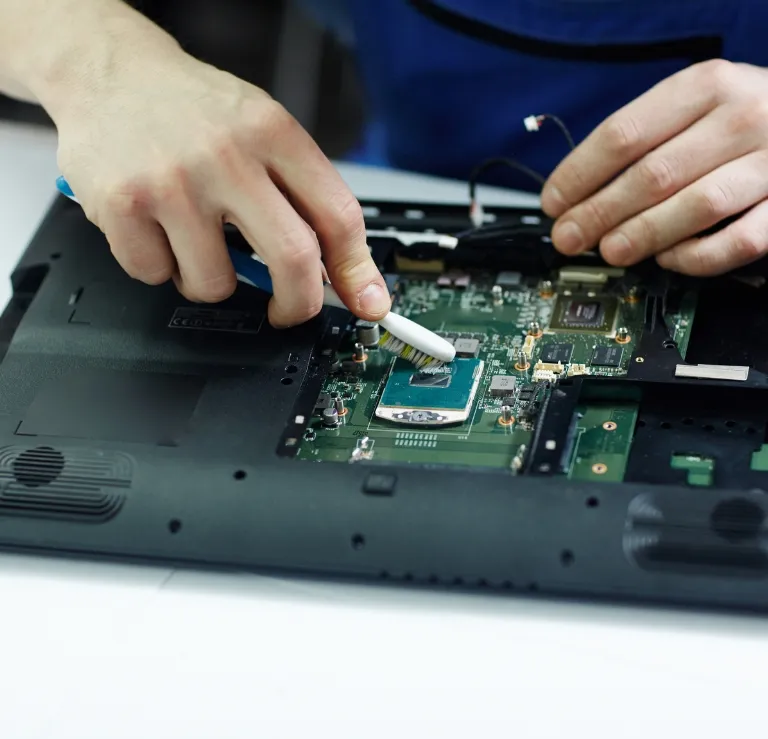
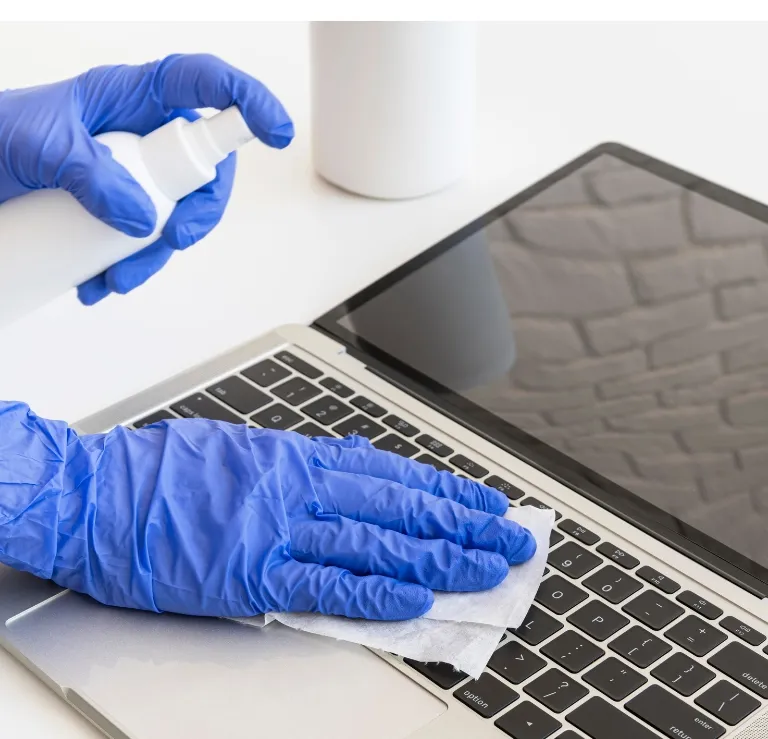
Our laptop cleaning service includes a full, professional cleaning of your device. We focus on both internal and external cleaning to guarantee its best performance.
The frequency of laptop cleaning service depends on how often you use your laptop. However, we recommend a professional cleaning every 6 to 12 months to ensure your laptop stays in top condition. For users in dusty environments or those using laptops for long hours, more frequent cleaning may be necessary.
Our laptop cleaning service is designed to be straightforward and effective. We follow a simple process that guarantees your laptop is treated with care, ensuring both the exterior and interior are dust-free. Here’s how it works:
Unlike surface cleaning, we dismantle your laptop to clean every inch of its cooling system, including fans, vents, and heatsinks.
Over time, thermal paste can degrade, causing overheating. Our cleaning service includes replacing old thermal paste with fresh paste, which ensures better heat dissipation.
In most cases, we offer same-day cleaning. For certain models, we even provide on-site cleaning at your home or office in London.
Whether it’s a gaming laptop or a sleek MacBook, we clean all makes and models, ensuring your device stays in top condition.
We provide photo or video proof of the work done, so you can see exactly what was cleaned and replaced.
With time, dust and debris can accumulate inside your laptop’s fan, leading to overheating, reduced performance and even hardware failure. At Thor Computer, we specialize in laptop fan cleaning services, ensuring that your laptop runs cooler and performs better.
Why is Laptop Fan Cleaning Important?
Improved Cooling: Dust can clog up the fan, leading to inefficient cooling. Our fan cleaning service restores airflow, helping your laptop stay cool.
Prevents Overheating: Overheating can cause long-term damage to internal components. Regular fan cleaning reduces the risk of system crashes and hardware malfunctions.
Better Performance: A clean fan ensures optimal laptop performance by preventing thermal throttling and system slowdowns.
A clean laptop keyboard enhances your typing experience and prevents dust, dirt, and grime from affecting key responsiveness. Our laptop keyboard cleaning service ensures that every key functions perfectly, keeping your device in top condition.
Why Choose Our Keyboard Cleaning Service?
Dust and Debris Removal: We use specialized tools and compressed air to remove dirt and particles from between the keys.
Prevent Key Sticking: Regular cleaning prevents keys from getting sticky or unresponsive.
Improved Hygiene: A clean keyboard is not only more pleasant to use but also more hygienic.
Your laptop screen display is most likely to be filled with fingerprints, smudges and dust. At Thor Computer, we offer professional laptop screen cleaning services to guarantee that your screen will remain clean and bright.
Why Clean Your Laptop Screen?
If you’re looking for a complete laptop overhaul, our full laptop cleaning service covers everything from the interior components to the exterior, ensuring your device is in perfect condition.
What Does Full Laptop Cleaning Include?
EXCELLENTTrustindex verifies that the original source of the review is Google. My son broke the screen of my Dell laptop and I was so worried what to do and I found Mike. Spoke to him told him my problem he immediately send me the quotation, which I liked and he said he will repair it the same day in my home. So I don't have to go anywhere and he fixed the issue in few hours. Wow! I have never seen such quick service before. Amazing person with amazing professional skills. For sure will recommend him to all my friends and for my future needs. Thanks for the quick service.Posted onTrustindex verifies that the original source of the review is Google. Absolutely stoked with Thor! Michael replaced my Dell laptop screen for 70% less than dell quoted me, which is awesome. But he's also extremely nice, knowledgeable, friendly and has a really fast turnaround time. It was a bonus to be able to see what he was doing and see inside a laptop for the first time. I hope I don't break anymore computers, but if I do I will be back to thorPosted onTrustindex verifies that the original source of the review is Google. Great excellent service from Mike many thanks Dint think the IT Engineer could get past BICKPASWORD Great service Many thanks again would definitely use them again regards Martin ...Posted onTrustindex verifies that the original source of the review is Google. Mark attended a classic untenable failure with my printer. Kind polite, liked his coffee black, blue magic dust on the printer, and having covered it with a cloth said some magic words, and it worked. Not sure what he did, but he certainly got it going again. Excellent work. ThanksPosted onTrustindex verifies that the original source of the review is Google. I had a bent back case with a broken screen and I called the best PC and laptop mechanic who recommended what parts to buy for my gaming laptop and with a lot of patience he fixed it for me. Call with confidence. I recommend it very well 🙏 and I am satisfied with his service..Posted onTrustindex verifies that the original source of the review is Google. Mike is a first class and very experienced engineer. He resolved a hardware issue on my Dell laptop that has been ongoing for months. I will definitely keep his number and use him again.Posted onTrustindex verifies that the original source of the review is Google. I was in a very difficult situation after losing all my data, including critical and irreplaceable files. Mike did an outstanding job recovering everything. He also repaired my laptop, which now works perfectly, like a brand new one. Professional, trustworthy, and highly skilled. I can’t recommend him enough.Posted onTrustindex verifies that the original source of the review is Google. Very happy! Mike will come to your place of work and fix on-site. Great knowledge and skills and really good guy. Fast turnaround - goes above and beyond. Couldn’t be happier, thanks.Posted onTrustindex verifies that the original source of the review is Google. Mike is really friendly and professional. I had a cracked screen on my laptop and Mike came to our house and fixed it. Firstly I had to send Mike the cost of the replacement screen beforehand by 'sum up' which I was dubious about, but I discussed it with my husband and we decided it was a risk with taking. Anyway, there was no risk involved at all because Mike stood by his word and came to our house to complete the job once the replacement screen was delivered to him. He was very efficient and polite. I will use him again without a doubt. Strongly recommend. Great business model. He's very good at what he does. Thank you Mike.